Chat with us, powered by LiveChat
The Best Pharmacy Software Since 1981
How Hard Is It to Learn Pharmacy Software? How Can I Train My Staff?

How Hard Is It to Learn Pharmacy Software? How Can I Train My Staff?

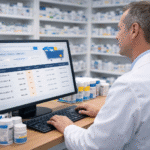
Two pharmacists learning how to use pharmacy software

Running an independent pharmacy today requires the right technology to keep things running smoothly. Pharmacy software has become an essential part of daily operations, handling everything from prescription processing and inventory management to billing, reporting, and patient communication. One of the first questions pharmacy owners and staff ask as they evaluate different pharmacy systems is, “How hard is it to learn the pharmacy software?”

The answer depends heavily on the pharmacy system you choose. Some pharmacy management software platforms are intuitive, simple to navigate, and quick to learn. Others are overly complex, with steep learning curves that frustrate users and lead to wasted time and inefficiency.

Let’s explore what makes pharmacy software easier or harder to learn, how long the typical learning curve takes, and the best ways to train your staff. We’ll also take a closer look at why Datascan Pharmacy Software is one of the easiest systems to adopt—making it the best pharmacy software choice for independent pharmacies that want powerful tools without the frustration of overly complicated pharmacy software solutions.

Why Ease of Learning Matters in Pharmacy Software

A pharmacy management system should be designed to make your staff’s jobs easier, not harder. If your pharmacy software is too complicated, employees will avoid using it to its full potential—or worse, they’ll make mistakes that impact your business and potentially harm a patient.

When technology is intuitive:

  • Staff are more likely to embrace it in their daily workflow.
  • Training new employees takes less time.
  • Errors are reduced, since staff feel confident navigating the system.
  • Efficiency improves, meaning more time for patient care and less time spent troubleshooting software.

If the learning curve is steep, your team may resist incorporating the pharmacy software into everyday tasks. In a busy pharmacy environment, you don’t have time for your system to slow you down. That’s why choosing software for pharmacies that is user-friendly is crucial.

How Hard Is It to Learn Pharmacy Software?

Not all systems are created equal. Some of the more complex pharmacy management systems require days or even weeks of training before staff can use them with confidence. These platforms often have cluttered screens, non-intuitive workflows, or rigid setups that don’t adapt well to your pharmacy’s unique needs.

Datascan, on the other hand, was built with usability in mind. Pharmacies have consistently praised it as one of the top pharmacy software systems for its balance of simplicity and technology.

  • Logical workflow: The system was built with independent pharmacy in mind. The flow is logical and intuitive.
  • Customizable options: While the software is simple to navigate, it also offers robust customization so you can adapt it to your pharmacy’s needs.
  • Short learning curve: On average, it takes just 1–2 hours for staff to learn the day-to-day functions needed to process prescriptions, handle refills, and manage patients.
  • Simple yet robust: Even though it’s easy to use, Datascan still offers all the advanced features you’d expect from the best pharmacy software—like reporting, inventory management, patient communication tools, and integration with third-party platforms.

The competition’s pharmacy systems often leaves staff needing multiple training sessions just to master the basics. In fact, some systems are so overwhelming that users never fully adopt all of the features, leaving valuable tools unused.

Training Your Pharmacy Staff

Even if your pharmacy management software is easy to use, proper training ensures your staff can get the most out of it. An organized training plan will boost confidence, minimize errors, and allow your pharmacy to maximize efficiency.  Training should be thorough and continual.  Datascan offers free live training to both new and existing pharmacies– something the competition often does not do.

1. Start With the Basics

When introducing new pharmacy software, focus first on the daily tasks your staff will use most frequently—such as prescription entry, processing refills, and patient profile management. Once staff are comfortable with these functions, you can introduce more advanced features.

2. Use Hands-On Training

The best way to learn pharmacy software is by doing. Allow staff to practice in a test environment, or walk them through real-life scenarios step by step. Hands-on training builds muscle memory and speeds up adoption.

3. Take Advantage of Vendor Support

Not all vendors provide the same level of training and support. Datascan stands out by offering free training for new clients as well as existing customers. Their training isn’t a one-time offering—whether you’re just getting started or adding new staff, you can always access training at no additional cost.

Beyond live training, Datascan also provides a library of training videos and how-to documents available on the client website. This means your team always has on-demand resources to reference whenever they need a refresher.

4. Provide Written Guides and Videos

Supplement hands-on learning with reference materials. While live training is always best, there’s no doubt that comprehensive how-to guides, or short video tutorials can help staff revisit features they may not use every day. With Datascan, much of this is already available in their client portal.

5. Encourage Ongoing Learning

As your pharmacy grows, your staff may need to use more advanced features of the software. Schedule refresher training sessions or Datascan’s Optimization Training to help learn more about new features you may benefit from implementing in your pharmacy.

Why Datascan Is the Easiest to Learn

When comparing pharmacy management software, Datascan stands out for its ease of use and straightforward training process. Here’s why independent pharmacies choose Datascan:

  • Fast onboarding: Most staff can begin using the software after just an hour or two of training.
  • Logical layout: The workflow is intuitive and logical. 
  • Customization: Pharmacies can set up the system to fit their exact needs without complicating daily use.
  • Free training: New clients and existing customers alike can take advantage of unlimited free training.
  • Training resources: Access to online training videos and how-to documents ensures ongoing support.
  • Responsive support: With U.S.-based support and lightning-fast response times, help is always just a call away.
  • Balance of simplicity and power: Unlike competitors that overwhelm users with unnecessary complexity, Datascan provides everything an independent pharmacy needs without overcomplicating the process.

This is why many consider Datascan to be the best pharmacy software for independent pharmacies that value both functionality and usability.

The Bottom Line

Learning pharmacy software doesn’t have to be difficult. The key is choosing a system that’s designed with usability in mind. A complex pharmacy management system can frustrate staff. 

With Datascan, the average staff member can master day-to-day functions in just 1–2 hours, making it one of the easiest and fastest systems to learn. Combine that with free training, an extensive library of videos and how-to documents, robust features, customizable options, and industry-leading support, and you have a pharmacy computer system that truly sets itself apart as the top pharmacy software for independent pharmacies.

By investing in a user-friendly pharmacy software and creating a structured training plan, you can ensure your staff feels confident and your pharmacy runs at peak efficiency.


Pharmacy Software Reliability – What Kind of Downtime Can I Expect?

Pharmacy Software Reliability – What Kind of Downtime Can I Expect?

A female pharmacist on the phone looks at a report on a computer screen

When running an independent pharmacy, reliability is not optional, it’s essential. Every prescription you fill, every patient you help, and every claim you transmit depends on your pharmacy software functioning seamlessly. 

Downtime doesn’t just cause frustration; it disrupts patient care, decreases efficiency, and costs your pharmacy money. That’s why choosing the best pharmacy software is about more than just features. It’s about selecting a system and a partner you can depend on.

Let’s explore what kind of downtime you can expect from different pharmacy management systems, the differences between cloud-based and on-premise solutions, and why Datascan Pharmacy Software solutions stand out with unparalleled reliability and industry-leading support.

Understanding Downtime in Pharmacy Software

Downtime occurs any time your pharmacy management system isn’t working properly. It can mean being completely locked out of your system, working around a problem or dealing with slow, lagging performance that prevents staff from working efficiently. Common causes of downtime include:

  • Internet outages – Cloud-based pharmacy systems rely entirely on the internet. If your pharmacy loses connection or the host system has issues, you may be stuck waiting until service is restored.
  • Server outages on the vendor’s side– Cloud pharmacy systems may experience server crashes, scheduled maintenance, or data center failures, leaving pharmacies unable to access their software.
  • Software bugs – New updates or untested changes can introduce bugs that take hours or days for the vendor to patch.
  • Slow support responses – Even a small issue can become a major downtime event if it takes time to get a support technician on the line, and worse if it takes hours or days for the pharmacy software systems vendor to fix the issue.
  • Hardware issues- printer problems, issues with the network, component failure within a PC can all cause downtime in your pharmacy.

When your pharmacy depends on fast service, these delays can cause disappointed and frustrated staff and patients.

Cloud vs. On-Premise Pharmacy Software

One of the most important factors in determining system reliability is whether your pharmacy runs on the cloud or is an on-premise solution.

Cloud-Based Pharmacy Software:

  • Requires a strong and consistent internet connection.
  • You still need a working network and operational computers to access the pharmacy system
  • If your internet is down, even briefly, your pharmacy is effectively offline.
  • Issues on the host side, such as server crashes or overload, can shut down multiple pharmacies at once.
  • Benefit of working from anywhere with ease
  • Automatic updates may introduce new bugs without warning.
  • Online support queues can leave you waiting while your staff sits idle.

On-Premise Pharmacy Software:

  • Runs locally on servers or computers inside your pharmacy, any issues related to your hardware or network could bring your business down.
  • Internet outages don’t bring your operations to a halt—you stay operational.
  • Updates are tested and implemented with a slow rollout.
  • Your pharmacy retains access to its own data without relying on a third party.
  • To work remotely, you must use either a VPN network, Microsoft remote desktop access, or a remote program to control a PC such as Logmein. 

Datascan offers among the most reliable pharmacy software systems. Datascan offers on-premise reliability that keeps your pharmacy running no matter what’s happening with your internet connection or external servers.  Additionally, Datascan support is second to none– with immediate access to the helpdesk to quickly troubleshoot any issues and keep your pharmacy computers systems up and running.

Datascan’s Track Record of Reliability

Pharmacy owners using Datascan Pharmacy Software consistently report little to no downtime thanks to a combination of factors:

  • Client on-premises software: With software installed locally, pharmacies are protected from the risks of internet failures or vendor server issues.
  • Proactive updates: Datascan thoroughly tests updates before release, reducing the chance of disruptive bugs, and no massive updates are rolled out automatically.  
  • Immediate support: Unlike many competitors, Datascan’s support team is known for answering calls in under 30 seconds. That means issues are resolved in real time instead of leaving your staff waiting hours or even days.
  • Experienced help desk: The majority of Datascan’s support team has been with the company for 10+ years, giving them unmatched knowledge of pharmacy workflows and technical challenges.

The Cost of Downtime with Other Vendors

Many pharmacies that switch to Datascan do so after struggling with competitors. Here’s why:

  • Support wait times: Some pharmacy systems vendors force pharmacies into long hold queues or require email tickets that can take days to resolve. That’s lost time your patients and staff can’t afford.
  • Unreliable bug fixes: When a pharmacy system pushes out an automatic update with an error, every pharmacy using the platform may be impacted until the vendor resolves it.

When compared, the difference in reliability is clear—the best pharmacy software isn’t just about features, it’s about uptime.

Why Independent Pharmacies Choose Datascan

Independent pharmacies operate on thin margins and can’t afford interruptions or downtime. With Datascan Pharmacy Software, pharmacies get peace of mind knowing they’ve chosen one of the top pharmacy software solutions in the industry. Key benefits include:

  • Unmatched reliability- Datascan’s top pharmacy software is dependable and helps you keep your pharmacy running smoothly.
  • Top-tier support – Rapid response times mean your staff gets real answers in under 30 seconds.
  • Industry experience – With decades of expertise, Datascan understands the unique challenges of independent pharmacies.

Long-term trust – Pharmacies that choose Datascan stay with Datascan. The company’s reputation for reliability and support keeps clients loyal.

What Kind of Downtime Can You Expect with Datascan?

The short answer: almost none.

Because Datascan’s pharmacy management system runs locally in your pharmacy and is backed by the fastest, most knowledgeable support team in the industry, your staff won’t experience the common downtimes that plague other pharmacy management systems. If a question or technical issue arises, you can count on real-time answers from a dedicated team that knows your system inside and out.

With Datascan, downtime doesn’t drag on for hours or days—it’s resolved almost immediately. This is why many independent pharmacies consider Datascan not just the best pharmacy software, but also the most reliable pharmacy software on the market.

Final Thoughts

When it comes to searching for the absolute best pharmacy software, reliability should be at the top of your priority list. Frequent disruptions, slow support responses, and unexpected bugs can cause severe downtime and cripple your operations.

Datascan Pharmacy Software systems offer the reliability, control, and support that independent pharmacies need to thrive. With on-premise stability, minimal downtime, and the fastest support in the industry, Datascan isn’t just a solution—it’s a partner in your pharmacy’s success.

For independent pharmacies that can’t afford to risk downtime, Datascan remains the clear choice for the top pharmacy software available today.

Pricing Pharmacy Software: Are There Hidden Costs?

Pricing Pharmacy Software: Are There Hidden Costs?

a pharmacist on the phone pricing pharmacy software
  • Not all pharmacy software includes the features that independent pharmacies need to succeed.
  • Implementing a new pharmacy software system can come with additional expenses.
  • Datascan offers an all-inclusive system with no hidden fees and award-winning support.

When independent pharmacy owners begin their search for the best pharmacy software, pricing is often one of the first questions that comes to mind. After all, your pharmacy software is hands-down the most important investment you’ll make in your business. But here’s the thing: not all vendors are upfront about what you’ll actually end up paying.

In fact, the world of pharmacy management software pricing can sometimes feel like navigating a maze. Many competitors lure in pharmacies with what appears to be a low monthly cost, only to tack on hidden fees later. The result? You may find yourself paying far more than you originally budgeted.  It’s important to understand exactly what you’re paying for and exactly what you’re getting.

At Datascan Pharmacy Software, transparency is key. Datascan has built a reputation as one of the top pharmacy software providers by offering clear, upfront, and honest pricing—without the nickel-and-diming practices that are all too common in the industry.

First, it’s important to break down the common costs of pharmacy management systems, where hidden fees often creep in, and how Datascan stands apart with transparent, all-inclusive pricing.

The True Costs of Pharmacy Software

Every pharmacy software system comes with a few standard costs. While they may vary by vendor, most pharmacies should expect the following:

1. Licensing Fees

This is the cost of obtaining the software license itself. Some vendors charge by the number of users and number of workstations, whereas Datascan includes an unlimited number of users and workstations.

2. Onboarding and Training

Pharmacy software is undoubtedly complex. Pharmacies need onboarding, setup, and staff training to ensure the system is used effectively. Some companies charge fees for training sessions or limit the number of hours included.  Datascan always includes initial training, as well as ongoing training for free.  This ensures that you and your staff are constantly up to date with new features, and have a comprehensive understanding of the pharmacy systems capabilities.

3. Data Conversion and On-site Training

If you’re switching from one pharmacy management software to another, the data conversion is often one of the biggest expenses. Moving prescription data, patient profiles, prescriber information, and inventory is handled with the help of a data conversion company– and isn’t always included. Some vendors upcharge conversions, which can cost your pharmacy thousands of dollars. Datascan, however, often offers pharmacies free data conversion, saving them significant upfront costs.

On-site training is often another exorbitant cost for a pharmacy.  Many pharmacy software vendors charge thousands of dollars to send staff on-site for only a few days.  Datacan staff come onsite typically Monday-Friday, and often includes the cost of on-site training for free, with minimal fees to cover travel-related costs for the staff.

4. Monthly Support and Maintenance

Every pharmacy software vendor charges a monthly service fee for support and ongoing system maintenance. This is expected, as pharmacy systems require continual updates to remain compliant with regulations and to integrate with third-party services such as Surescripts or pharmacy claims switching vendors.  This price varies from vendor to vendor and can range from affordable to astronomical.  

Datascan offers a ‘package price’ that includes not only your pharmacy software licences and maintenance, but many services that other vendors charge add-ons for, such as document management, or our patient-facing mobile application– they are included!

5. Transaction Fees

There are also transaction-based fees, such as electronic prescribing and insurance claims switching. While these are unavoidable in the industry, rates vary depending on the vendor.  It is important to understand these fees and be able to quantify your charges at the end of each month.  Datascan provides its clients with an easy-to-read breakdown and summary of charges each month for all costs related to the pharmacy management systems. 

Where the Hidden Fees Sneak In

Here’s where things get complicated– many vendors don’t include anything with their base pricing. Instead, they charge additional fees for features that should be standard in a pharmacy management system.

Often, you won’t even know about these hidden costs until you try to enable a feature. At that point, you’re locked in, and your “affordable” pharmacy software suddenly costs far more than expected.

Some of the most common hidden add-on costs include:

  • Patient Mobile Apps – An essential in today’s digital-first world, but some vendors charge extra, often in excess of $100 per month, to offer a mobile app for patients.
  • Delivery Applications – Many pharmacies rely on delivery, but delivery management tools are often sold as expensive add-ons.  These can cost your pharmacy upwards of $50+ per month.
  • Third-Party Data Feeds – Want to share data with a partner platform? Some vendors make you pay just to access your own data.
  • Document Management – Storing and managing scanned prescriptions, insurance cards, and other paperwork is crucial, yet many vendors add extra fees for this capability.
  • Faxing – Still widely used in pharmacy, fax integration is another common hidden fee.
  • Controlled Substance Reporting – Control reporting isn’t optional, yet some systems tack on fees for automated reporting. 
  • After-Hours Support – You may find yourself paying a premium to get help outside of standard business hours.
  • Compound capabilities – you may not offer compounded medications now, but if you decide to add it to your business model later, does the pharmacy system have this built in?
  • LTC / Nursing — again, something you may add in the future –but does the pharmacy software have it built in, and is it free of charge?

These “nickel and dime” fees add up quickly. What seemed like an affordable monthly rate can balloon into something significantly higher once all the must-have features are factored in.

Be Careful: PioneerRx’s “RX Usage Fee”

One example that stands out in the industry is PioneerRx. They charge an “RX usage fee” for every prescription picked up at the point of sale– every one– including cash prescriptions!

This fee may not sound significant at first, but when calculated out, and added to the switching cost, it comes to nearly 10 cents per prescription on insurance-based claims. This is an astoundingly high rate. Pharmacies often don’t realize how much this adds to their overall expenses until it’s too late.

This is why it’s so critical to ask detailed questions about pricing and request a side-by-side comparison. Datascan encourages pharmacies to bring competing quotes to the table so you can clearly see how the costs stack up—and where the hidden fees lie. Compare pharmacy systems vendors side by side, for price, customer satisfaction (online ratings), and technology.

Datascan’s Approach: Transparent Pricing with No Hidden Fees

Datascan has taken a very different approach to pricing.  As one of the best pharmacy software providers in the industry, Datascan believes that pharmacies deserve full visibility into what they’re paying for.

Here’s what sets Datascan apart:

  • All-Inclusive Base Pricing – Features that competitors charge extra for—like mobile apps, delivery tools, document management, faxing, and after-hours support—are included in Datascan’s base pricing.
  • Free Data Conversion (for many pharmacies) – Making the switch shouldn’t come with a giant cost. Datascan helps many pharmacies convert data at no cost.
  • Clear Monthly Support Fees – You know upfront what you’ll pay each month for pharmacy software support and maintenance, with no surprise charges.
  • No Usage-Based Nickel and Diming – Unlike competitors, Datascan doesn’t add fees for “RX Usage.”
  • Honest Comparisons – Datascan helps pharmacies review competitor quotes line by line so you can see exactly what you’re paying for.

Why Transparency Matters

Independent pharmacies are already struggling with shrinking reimbursement rates, DIR fees, and staffing challenges. The last thing an independent pharmacy needs is surprise costs from its pharmacy management software.

Transparent pricing not only protects your bottom line but also builds trust. When you know exactly what you’re paying for, you can budget more effectively and focus on what really matters: building a better and more profitable pharmacy.

Datascan’s approach to pricing reflects its larger philosophy: providing pharmacies with the tools, support, and service they need to succeed, without the games or hidden fees.  Datascan has been laser-focused on the success of independent pharmacy for over 4 decades.

Final Thoughts

When it comes to choosing the best pharmacy management software, price is about more than just an upfront number on paper. It’s about understanding the true costs—both upfront and ongoing—of the system you’re investing in.

Hidden fees for features like mobile apps, delivery tools, or even control reporting can significantly increase your total spend. 

Datascan stands out as one of the top pharmacy software providers because of its transparent pricing model, all-inclusive features, and commitment to helping independent pharmacies thrive. With no hidden fees and clear, upfront pricing, Datascan makes it easy for pharmacies to budget confidently and invest in a software system that truly delivers value.

If you’re evaluating software for pharmacies, take the time to ask the right questions about pricing. And most importantly, ask Datascan to help you compare—so you can be sure you’re not paying for hidden costs you never expected.

How Much Does Pharmacy Management Software Cost?

How Much Does Pharmacy Management Software Cost?

Pharmacist on a computer system

The Cost of Pharmacy Computer Systems and Software

Evaluating pharmacy software systems and figuring out how much to expect in overall costs can be complicated. Pharmacy systems vendors price differently, and virtually no two package their systems the same way. Pharmacy software systems have initial startup fees, monthly support fees, and transactional fees for switching and electronic prescribing. Some even offer money back through revenue-sharing programs. 

Let’s take a look at the types of fees you can expect.

Startup Pharmacy Software Costs

You can expect to pay upfront fees when opening a new pharmacy or converting your pharmacy system to another vendor. These are one-time charges and often include a software license for pharmacy software and point-of-sale software, training costs, any hardware or pharmacy computer system you may be purchasing, and pharmacy software conversion costs (if you have an existing system you need to switch over from). These costs vary from vendor to vendor and are often negotiable depending on contract lengths, startup store discounts, and prescription volume for existing independent pharmacies.

For a new startup pharmacy, you can expect a range of $2,500 and up depending on what software and hardware you need. Pharmacies looking to convert from their existing software may be eligible to pay next to nothing depending on volume and length of contract. When converting, assuming you can use existing hardware from your current pharmacy computer system (in most cases you can), you can expect to look at quotes including the conversion cost to migrate your data to the new pharmacy system, the cost of on-site training with their staff, and potentially a cost for the new pharmacy software. These quotes will vary by vendor and the deals they are offering.

Datascan is known to offer deep discounts to pharmacies looking to convert away from their current pharmacy software vendor.

Pharmacist on a computer

Monthly Fees

These are the base fees you can expect to pay monthly to cover the software maintenance and support both during and after business hours. These will also include the new features offered in many systems that are constantly being updated. The ‘maintenance’ factor has to do with constant changes within our industry. Pharmacy software systems are constantly in need of updating whether it be to keep up with the newest NCPDP standards set for processing claims, changes with the electronic prescribing standards, or even changes brought about by ASAP for the transmission of controlled substance prescriptions to your state PMP.

Add-On Costs for Pharmacy Software

Some vendors include features at no additional cost, while some will charge as add-ons for features such as document management, delivery software, patient mobile applications, controlled substance reporting, backup services, and more.  It is important to compare the true side-by-side costs figuring out what some vendors are including in their base fees vs what others are charging for. For example, Datascan does not charge for our mobile application for your patients, while some vendors can charge upwards of $100 or more a month for theirs!

Features you want may often not be included in standard pharmacy software packages and can very quickly add up. Datascan’s pharmacy software package is inclusively priced and includes features like document management, a patient mobile app, and controlled substance reporting for free. These features may significantly enhance the workflow of your pharmacy at no extra cost.

Transactional Fees

Transactional fees are variable pharmacy software costs that will change on a monthly basis. These are fees for switching, electronic prescribing, and text messaging, and all depend on volume. The pharmacy systems vendors are paying for these services, and therefore the pharmacy itself must pay for them as well.

Variable Fees

Variable fees include ‘switching’ and electronic prescribing transactions. Switching occurs when you send an insurance claim for a prescription for payment to the PBM or insurer. The ‘switch’ is what routes the claim. Pharmacy management software vendors are charged for this routing, and therefore, pharmacies are as well. 

Electronic prescribing is when a physician sends a pharmacy the prescription electronically directly into the pharmacy’s computer system (which is mandated in many states as the push to do away with paper prescription pads grows). Many refer to these transactions as “Surescripts” because that is the primary vendor that routes the Erx’s. Surescripts charges for these transactions, therefore, pharmacies pay for them as well. Both of these are variable because it all depends on the pharmacy’s volume. The greater the volume, the higher the cost of your pharmacy software.

Variations by System

The amount of variable fees is often different among each pharmacy software system vendor, but typically falls within a similar range. One vendor, PioneerRX, charges an RX completion fee, which is a charge for every prescription picked up, cash or third party, in your pharmacy. This is not a typical fee you’d find from most other pharmacy software vendors. Datascan’s pharmacy software system is among the best-priced when it comes to both base fees and transactional fees.

pharmacy computer system

Revenue Sharing

The best pharmacy software vendors offer a variety of revenue share programs designed to help keep your monthly pharmacy software costs down. Many vendors subscribe their clients to programs, but do not share their revenue streams. Data sharing programs such as IQVIA pay for independently owned retail pharmacies to submit HIPAA-compliant, deidentified prescribing data. Other revenue share programs like cash RX rebate programs, e-vouchers, and Carepoints all offer incentives for you and help reduce your monthly software charges.

Final Thoughts

As a pharmacy owner, you can expect to see a breakdown of different fees and costs for your pharmacy management software and computer system. There are one-time upfront fees for software licensing and training, and then there are monthly fees for software maintenance and support as well as transactional fees for switching and electronic prescribing.

Costs will vary depending on the vendor you choose, but you should never pay more for less. Datascan is the overall best-priced retail pharmacy software system on the market.

Get a Custom Cost Quote for Datascan

For a detailed price quote of Datascan Pharmacy Software, give us a call at (877) 222-RXRX, or contact us online. We’ll schedule a free demo and put together a software package that fits your needs and budget.

5 Tips on How To Increase Pharmacy Profit Without Relying on PBMs

5 Tips on How To Increase Pharmacy Profit Without Relying on PBMs

Cartoon of a man catching flying money with a net

Independent Pharmacy Tips and Tricks to Boost Profit

It’s no surprise that Pharmacy Benefit Managers (PBMs) are continuously concocting methods to dig deeper into your pharmacy’s profits. As soon as independent pharmacy owners think they can defend themselves from the clawbacks, the PBMs innovate a new set of unattainable targets. These targets are designed to take back additional money. If you’re always losing on the backend and wondering how to increase your pharmacy’s profits, what can you do to keep your business afloat?

Let’s focus on some of the best ways you can build profits back into your independent pharmacy and new ways to make money in pharmacy without relying on PBM reimbursement.

1. Create a Frontend Boutique that Drives Over the Counter Sales

Building profits within a pharmacy is in more than just the prescriptions, it’s about everything sold at your location. A strategically designed frontend can dramatically increase overall profits, as well as how much you can make as an independent pharmacy owner. Doing market research and understanding your customer demographic can help you build a frontend tailored specifically to your location. This will help make sure you stock popular products that people are likely to buy. 

There are many other tips and tricks independent pharmacies use to customize their frontend. For example, stores in lower-income neighborhoods are likely to sell much more generic, lower-priced OTC products over more expensive brand name options. Having these items on the shelves of your pharmacy can help increase profits.

If your pharmacy is in an area with young families, then carrying products for infants and children is likely going to be much more profitable compared to carrying products for senior patients.

To make owning a pharmacy more profitable in high-income areas, many independent pharmacies have built elegant boutique-style frontends. When these customers are awaiting a prescription, they’re likely to browse and purchase a few luxury items. 

Customers will often stumble upon the pharmacy section by chance while shopping in the store, which helps owners gain patients in the pharmacy. Take a look at your pharmacy’s floor plan and consider your product placement. Placing items properly can be an excellent new way to make money in pharmacy sales.


Woman looking in pharmacy

When paired with an expertly designed frontend, there are other tips and tricks for independent pharmacies that will also help boost profits. These include training your pharmacy staff on how to “upsell” a prescription. When a customer arrives with prescriptions for antibiotics, they are likely going to require analgesics or cough/cold medicines too. Perhaps recommending a thermometer or humidifier will turn a prescription sale into a sale with a higher profit item. Implementing this training help make owning a pharmacy more profitable.

When maximizing frontend sales, it’s pivotal that owners take advantage of the reporting and inventory management features on their pharmacy’s point-of-sale software. This has a significant impact on how much independent pharmacy owners actually make. Using Datascan’s Point of Sale system is one way to increase pharmacy profit and boost sales. This system has a tremendous number of reporting capabilities and custom reports that owners can create. It allows them to analyze frontend sales and monitor slow-moving products.

Datascan’s Point of Sale software also makes it easy for owners and pharmacy managers to schedule sales and promotions, create custom coupons, build customer loyalty programs, and even send promotional notifications to customers. Utilizing these features are some of the tips and tricks that independent pharmacies use for a more efficient workflow. 

2. Offer Local Delivery and Curbside Pickup

Providing the option for deliveries and pickups can help increase pharmacy profit as well. If your independent pharmacy is not offering delivery and curbside pickup options for patients, then you’re missing out on an efficient way to make money in pharmacy by offering your patients the ultimate conveniences.

The advantages of an independent pharmacy are the conveniences it provides to patients, coupled with the quality of the overall experience. Implementing strategies that support these advantages can be a big part of owning a profitable pharmacy. With the emergence of Amazon Pill Pack and its rapid delivery options for patients, your community pharmacy needs to stay competitive by offering similar convenience options to patients. Remaining competitive and advanced is a great way to increase pharmacy profit. Amidst the recent COVID-19 pandemic, countless pharmacies across the US began providing free deliveries and curbside pickup. Both these services helped to minimize foot traffic within the pharmacy.

There are many factors that can affect how much independent pharmacy owners make and solutions that can improve profitability. In order for local independent pharmacies to offer these options to patients, they need to collaborate with their pharmacy software vendors. These vendors should set up delivery systems for collecting signatures and payments outside of their pharmacies.

Datascan is excited to offer an electronic delivery system to all of its pharmacies, and we even provide it for free to help your pharmacy. This software system is full of tips and tricks for independent pharmacies. It allows stores to create delivery manifests and collect signatures and payments electronically. Datascan even created options for contactless pickup.

3. Charge for Clinical Services and Immunizations

Charging for clinical services and immunizations may seem like an unusual way to make money in your pharmacy. We’ll explain below how to increase pharmacy profits with this strategy.

In various U.S. states, pharmacists are considered medical providers. This means pharmacists are acknowledged as key medical personnel in managing patient health and care (this can also help make owning a pharmacy profitable). Pharmacists are regularly viewed as the first line of defense and trusted healthcare professionals by many patients.

When it comes to increasing pharmacy profits, many states permit pharmacists to administer exams. These exams can be for acute conditions (for example, rapid strep tests), or they can screen for chronic conditions like blood pressure, cholesterol, and even type 2 diabetes. One thing that shocks independent pharmacy owners is that it’s acceptable to charge administration fees for services.

Additionally, many pharmacies administer immunizations such as flu shots, shingles vaccines, or pneumonia, to name a few. If you’re not billing for the administration fees with the shot, you could be losing potential pharmacy profits.

Datascan’s Pharmacy Management Software can handle tracking and billing administration fees and is one of the tips and tricks independent pharmacies frequently use to help build profitability. This software can not only track and bill for these types of services, but it integrates with third-party platforms for seamless reporting to states that require it.

4. Keep Durable Medical Equipment in Stock

DME is another way to make money in your pharmacy. Locating durable medical equipment products locally can pose a huge challenge for patients. Likewise, for most people, ordering is not an option as they need these items quickly.

Building durable medical equipment and supplies into your pharmacy’s frontend can be a great way to make owning your pharmacy more profitable. It will also have a positive effect on how much you (as an independent pharmacy owner) can make.

In addition, getting in touch with local rehab centers, doctor’s offices, and even local hospitals to inform them of the types of supplies you sell is a great way to have patients referred to your independent pharmacy. This can also result in gaining a new customer in the pharmacy department, which is a great way to increase pharmacy profits overall.

Another tip and trick independent pharmacies use is deciding to contract with Medicare Part B. This decision is up to the pharmacy, and Datascan’s Pharmacy Software allows you to bill Medicare B for DME claims. Pharmacies can also choose to offer cash-only DME or even build out DME rentals within our point-of-sale software.

5. Offer Compounded Medications

Gloved hand taking pills from a bottle

Offering compounded medications is a great new way to make money in pharmacy. This method is a good way to increase pharmacy profits, because it’s often difficult for patients to find a pharmacy that fills compounded medications. Chain pharmacies do not offer compounded medications, and very often they will refer a patient to a local independent pharmacy.

While many insurance plans do not cover compounds, patients are willing to pay out of pocket for these medications. Setting your pharmacy up to compound is a great way to generate a new revenue stream, help build profits back into your business, and help make owning a pharmacy more profitable.

Without having to rely on PBM reimbursements, pharmacy owners can set their own costs and cash copays for compounds, which is another way to increase pharmacy profits. Filling a compound medication for a patient also provides pharmacies the opportunity to win them over for all of their other prescriptions as well. This will have an excellent impact on how much independent pharmacy owners make.

Datascan’s pharmacy management System includes a robust compounding module included in the software. Over the years, Datascan has continued to build out its compounding module within the pharmacy system, and taking advantage of this technology can increase pharmacy profits. The integrated support features in Datascan include scale integration, the ability to quickly build, modify, or copy compound RXs, robust reporting and search capabilities, and third-party insurance billing for compounded prescriptions.

Schedule a Demo of Datascan Pharmacy Software

There is no denying that PBM clawbacks hurt your profitability, but there are still many new ways to make money in pharmacy and improve the bottom line. Seeking out new revenue sources that do not rely on PBM reimbursement ensures that your profits stay yours and the PBMs keep their hands out of your pockets. Implementing the suggestions listed above and working with a proactive pharmacy software vendor such as Datascan is exactly how to increase pharmacy profits. These strategies will also help expand customer reach, brand awareness, and customer loyalty. Learn more today!