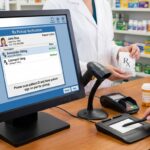
Protecting patient data in a pharmacy means applying HIPAA privacy and security safeguards, limiting access to patient information, and securing data in storage and transit. Internal audits, staff practices, business associate agreements, and encryption help make those requirements part of everyday operations.
Patient privacy involves more than keeping prescription records out of view. Information passes through pharmacy systems, communications, and daily workflows, so every point of access matters.
Learn how HIPAA rules shape pharmacy privacy, what internal audits can uncover, when a business associate agreement is needed, and how encryption protects information in storage and transit. This guide also covers practical safeguards for staff access, system use, and breach response, showing how the measures work together.
Key Takeaways
- Understand how HIPAA privacy, security, and breach rules shape pharmacy data practices, including when patient authorization is required.
- See how secure communications, system safeguards, backups, and recovery planning support patient privacy in daily operations.
- Use role-based access reviews and audit trails to spot inappropriate access and strengthen internal oversight.
- Learn what a business associate agreement should address when a vendor handles protected health information for your pharmacy.
- Explore how encryption and pharmacy management software can support protection of stored and transmitted patient data.
HIPAA Privacy, Security, & Breach Rules for Pharmacies
The U.S. Congress passed the Health Insurance Portability and Accountability Act (HIPAA) in 1996. Pharmacy compliance applies its privacy, security, and breach rules to patient records, staff practices, and electronic health information.
Patient Health Information and HIPAA Compliance
Patient health information includes details that identify someone and relate to their care, prescriptions, or payment. Under HIPAA, pharmacies must protect that information while using it for permitted purposes, such as treatment, payment, and health care operations. For example, a staff member processing a refill should access only the record details needed for that task, not browse unrelated patient information.
HIPAA Privacy Training for Pharmacy Staff
HIPAA privacy training explains how workforce members must handle protected health information and follow pharmacy policies. Covered entities must train all workforce members on policies and procedures for complying with the Privacy and Breach Notification Rules under §164.530. Training should also address practical risks, such as phishing emails, misplaced records, and discussing prescriptions where others can overhear. Role changes call for refreshed instruction on the information and systems staff can access.
HIPAA Privacy Provisions
HIPAA privacy provisions set conditions for using and disclosing protected health information, including the minimum necessary standard. A valid patient authorization form must comply with §164.508 of the Privacy Rule, according to the U.S. Department of Health and Human Services. To dispose of paper records, use secure shredding; for electronic patient data, securely erase or destroy the media so information cannot be retrieved. The U.S. Department of Health and Human Services says HIPAA documentation requested by an individual or the HHS Office for Civil Rights must, in most cases, be provided within 30 days.
Penalties for Privacy Violations
Pharmacies can face civil penalties for HIPAA violations, with amounts varying by violation category and culpability. The stated civil penalty range is $100 to $25,000 per violation category per year; HITECH Act penalties range from $100 to $50,000 per violation, based on culpability. HIPAA breach reports to HHS’ Office for Civil Rights for breaches affecting fewer than 500 individuals are submitted annually. Reports to the HHS’ Office for Civil Rights for breaches affecting fewer than 500 individuals are submitted annually, according to the U.S. Department of Health and Human Services, Office for Civil Rights. A clear response process helps staff detect, assess, and report breaches within required timelines.
How Do Pharmacies Handle Patient Privacy?
Pharmacies protect patient privacy through physical safeguards, technical access controls, and administrative procedures. Staff training to recognize phishing, secure systems, timely software updates, and tested backups can help reduce ransomware and breach risks. Clear responsibilities make these protections practical during routine work and incidents.
How Do Patient Consent and Secure Communication Protect Privacy?
Patient consent and secure communication practices help pharmacies share health information appropriately. Use secure channels for prescription transfers, consultations, and exchanges with health care partners. If a patient requests unencrypted email, explain the risks, obtain written acknowledgment, and apply available safeguards. Include only the information needed for the message’s purpose, and never use personal accounts or messaging tools for patient details.
How Should Pharmacies Secure Their Systems?
Pharmacy system security means protecting patient information wherever staff create, view, or update it. EHR, eMAR, and dispensing systems need access controls suited to employees’ responsibilities. Multifactor authentication and role-based permissions help restrict access to records needed for assigned duties. Keep software updated, apply security patches promptly, secure pharmacy Wi-Fi, and maintain firewalls on pharmacy-managed networks.
How Can Pharmacies Plan for Risks and Incidents?
Risk management identifies weaknesses in networks, devices, and user access, then guides safeguards. Regular security audits and vulnerability assessments can reveal gaps. Pharmacies also need incident procedures for communication, containment, and recovery. Define who coordinates a response, how staff isolate affected systems, and how essential operations continue during an outage. Practice the plan so employees understand their roles before an incident.
How Should Pharmacies Prepare Backups and Disaster Recovery?
Disaster recovery planning helps pharmacies restore records and operations after equipment failure, damage, theft, or cyberattack. Maintain automated, encrypted backups in separate secure locations, then test recovery procedures to confirm records can be restored. HIPAA’s Security Rule contingency plan standard, §164.308, includes data backup, emergency mode operations, and disaster recovery plans. A backup that has never been tested may not support recovery when staff need it.
Physical safeguards matter, too. Restrict access to areas containing systems and backup media, and secure devices when staff leave workstations unattended. Combine these measures with staff training and procedures for reporting suspicious activity. Pharmacies strengthening these practices can discuss privacy-focused workflow needs with Datascan Pharmacy Software.
How Can Pharmacies Strengthen Compliance and Internal Audits?
Strong pharmacy compliance connects written policies with routine reviews of system access and user activity. Internal audits help leaders identify permissions that no longer match staff duties, recognize unusual access patterns, and document corrective action. Reviewing controls as workflows change keeps oversight relevant to how employees use pharmacy systems and patient records.
How Should Pharmacies Assign and Review Role-Based Access?
Role-based access assigns system permissions according to each employee’s duties, limiting access to records unrelated to their work. A technician, for example, may need prescription details to support dispensing, while other tasks call for different access. Review permissions when duties change, and revoke access when an employee no longer needs it. This helps prevent outdated permissions from creating unnecessary exposure.
Include systems and individual accounts in each review. Shared passwords make it harder to identify who took an action, so require individual credentials and prohibit password sharing. Record permission changes, including who approved each change and when. These records support future reviews and help resolve questions about access.
How Do Audit Logs Help Pharmacies Monitor Access?
Audit logs record system activity, and access monitoring helps identify unusual patterns for review. Useful logs show the user, record accessed, action taken, and time of activity. Look for access outside a worker’s role, repeated failed sign-ins, or activity involving records without a clear work purpose. Assess each signal in context before deciding what action to take.
Assign a reviewer to investigate alerts and document the outcome. If access appears inappropriate, follow pharmacy policies to restrict permissions, preserve relevant records, and assess whether the event needs escalation. Clear procedures help staff respond consistently and give managers a record of how concerns were handled.
How Can Internal Reviews Make Audit Trails Useful?
An audit trail provides a traceable record of activity involving patient information. Internal reviews use these records to assess whether access aligns with job duties and pharmacy policies. For example, reviewers can check whether a user viewed or changed a record without a related dispensing or service task. Consistent reviews can help identify gaps before they become routine.
Build reviews around practical questions: Are former employees’ accounts disabled? Do current permissions match present responsibilities? Are unusual access events documented and resolved? Include relevant systems and devices, then record findings, corrective steps, and follow-up. This creates a compliance record and helps pharmacy leaders distinguish an isolated mistake from a process weakness. Keep reviews aligned with applicable federal and state requirements, because pharmacy obligations can extend beyond HIPAA.
What Should Pharmacies Include in Business Associate Agreements?
Pharmacy apps, online refills, delivery services, and outside vendors can expose patient information through unauthorized access, insecure transfers, or mishandled records. A signed Business Associate Agreement (BAA) sets expectations when a vendor handles protected health information on the pharmacy’s behalf.
A pharmacy vendor that creates, receives, maintains, or transmits protected health information on the pharmacy’s behalf requires a signed BAA. For example, a service processing online refill requests may receive a patient’s name, prescription details, and contact information. The agreement helps define each party’s responsibilities for handling that information. It supports privacy oversight but does not replace the pharmacy’s own security procedures.
Specify the services covered and the types of information the vendor may handle. Describe permitted uses, access limits, and safeguards for electronic records and physical documents. For instance, a delivery service may need a patient’s address and order details to complete a delivery, but not unrelated prescription history. Clear boundaries help establish whether a vendor’s access matches its work.
Include procedures for reporting suspected incidents and breaches. The agreement should explain how the vendor will alert the pharmacy, assist with an investigation, and support required response steps. A defined notification path can help the pharmacy detect an attack, contain exposure, and determine which records may be affected. Specify who preserves relevant logs and coordinates communication during an incident.
Address the technologies and safeguards used to protect information, including access restrictions, secure transmission, and protection against unauthorized disclosure. Understand how the vendor handles information through subcontractors, too. If subcontractors can access protected health information, the agreement should set expectations for their safeguards and responsibilities. Physical protections matter as well, including controlled access to paper records and devices containing patient data.
Keep signed agreements with other HIPAA-required records. According to the U.S. Department of Health and Human Services, pharmacies should retain policies, risk analyses, training records, and Business Associate Agreements for at least six years. Organize each BAA with the vendor’s service scope, and review it when that scope changes. A new app feature or delivery workflow can change what information a vendor handles, so update the agreement when responsibilities change.

How Should Pharmacies Encrypt Stored and Transmitted Patient Data?
Pharmacies should encrypt patient records, inventory databases, and communications between systems, both at rest and in transit. Encryption helps make data unreadable to unauthorized users, but access controls and secure handling practices still matter. A 256-bit encryption option can protect health data in storage and during transmission.
Start by identifying where sensitive information is stored: dispensing systems, workstations, removable media, and backups. Enable encryption for each location that holds patient data, including inventory databases linked to prescription records. Restrict encryption-key access to authorized personnel, and keep keys separate from protected files. This separation helps prevent someone who obtains a device from accessing both the data and the means to decrypt it.
Data transmission needs its own controls. Encrypt communications between pharmacy systems, health care networks, and external partners. For email containing protected health information, require TLS with specified partners and configure it to fail closed. Opportunistic TLS encrypts a message only if the recipient’s server supports it, so it does not ensure that every message is protected. A secure communication channel should prevent sensitive information from being sent in plain text when encryption cannot be established.
Use a consistent process whenever staff handle patient information. Before sending a file, confirm the recipient and purpose. Share only what the task requires. For example, send a prescription record to a health care partner through an approved encrypted channel, not a personal email account or unprotected portable drive. Multifactor authentication and role-based permissions add controls over who can open the data after delivery.
Encryption works best as part of a broader security routine. Keep software updated, apply security patches promptly, and review who can access systems and backups. When retiring a device, securely erase or destroy its storage media instead of relying on encryption alone. Test recovery from encrypted backups, too. A backup that cannot be restored with its required keys will not support pharmacy operations during an outage.
Document which systems and communication paths are encrypted, who manages access, and how staff report problems. Review those practices after a system or partner changes, since a new connection may create a new path for patient information. To discuss pharmacy management workflows alongside your privacy practices, talk with the Datascan team.
How Can Datascan Pharmacy Software Help Protect Patient Data?
Datascan Pharmacy Software provides independent pharmacies with tools for dispensing, point-of-sale, patient app, and delivery workflows. These integrated tools help organize how patient information moves through daily operations. Software supports privacy practices but does not replace HIPAA policies, staff training, access controls, or encryption managed by the pharmacy.
Datascan Pharmacy Management Software is relevant when prescription processing and pharmacy operations need a consistent system. A clearer workflow can help staff handle records for the task at hand and reduce reliance on scattered manual processes. Pharmacies should align system permissions and staff procedures with their own privacy policies, then review those controls as roles or workflows change.
For patient-facing refill workflows, MobileScripts Patient Mobile App can be part of a pharmacy’s broader privacy approach. Online refills involve patient information, so define what details are collected, who can access them, and how staff respond to requests. The app does not remove the need for secure communication practices or clear responsibilities for vendors handling protected health information.
Point-of-sale and delivery operations also involve information that staff must handle carefully. Datascan Point of Sale (POS) and Datascan Mobile Delivery App support these pharmacy workflows. Set clear procedures for what information each role needs, how staff use it, and what to do if a device or record is misplaced. These steps connect software use with the pharmacy’s privacy safeguards without treating a tool as a replacement for them.
When considering pharmacy management software, map each workflow that touches patient data: prescription processing, refill requests, checkout, and delivery. Identify the users involved, the information each task requires, and the policies governing access and communication. Then assess how the selected tools fit those processes. This practical review helps pharmacy leaders spot gaps between written privacy procedures and daily work.
Datascan Pharmacy Software can support this operational review for independent pharmacies coordinating core workflows. Consider it alongside staff responsibilities, internal audits, vendor agreements, and encryption practices, not as a stand-alone privacy measure. This keeps technology decisions grounded in the full picture of patient data protection.
Contact Datascan Pharmacy Software to discuss your pharmacy’s workflow needs.
Make Privacy Part of Your Pharmacy’s Next Step
Protecting patient data in a pharmacy is an ongoing operational practice, not a one-time software decision. As workflows change, revisit how staff use systems, where patient information moves, and whether written procedures still match daily operations. This helps pharmacy leaders connect privacy goals with technology choices.
Datascan Pharmacy Management Software, Datascan Point of Sale (POS), and MobileScripts Patient Mobile App can support your workflow review. Start with the pharmacy’s priorities: which processes need support, which staff use them, and how each tool fits existing privacy procedures. Clear answers keep technology decisions grounded in your team’s daily work.
Build the next step around your pharmacy’s needs and the safeguards you want to reinforce. Talk with Datascan Pharmacy Software about your pharmacy’s workflow goals, and take a thoughtful step toward a more privacy-conscious operation.
Frequently Asked Questions
What Is Patient Confidentiality?
Patient confidentiality means protecting identifiable health information from people without a legitimate reason to access it. In a pharmacy, that includes a neighbor asking whether someone filled a prescription, a caller seeking another person’s medication details, or a screen visible to customers. Staff should verify identity and authority before discussing a record, then share only information appropriate to the request. Confidentiality matters in conversations as much as in system use.
Why is compliance with the minimum necessary standard important?
The minimum necessary standard helps limit how much protected health information staff use or disclose for a task. For example, a team member answering a billing question may need transaction details, but not unrelated medication history. Limiting access and disclosure can reduce unnecessary exposure if a message is misdirected or an account is misused. Pharmacy procedures should specify which records and details each task requires.
Why is it important to keep Notices of Privacy Practices compliant with §164.520?
A clear, current Notice of Privacy Practices helps patients understand how a pharmacy handles their information and where to direct privacy questions. Keep its descriptions consistent with actual practices, including how patients receive privacy information and whom they can contact with concerns. Review the notice when workflows or information practices change, so patients and staff are not relying on outdated explanations.
What HIPAA rules apply to protecting patient data in a pharmacy?
Pharmacies should consider HIPAA’s Privacy Rule, Security Rule, and Breach Notification Rule together. The Privacy Rule governs uses and disclosures of protected health information; the Security Rule addresses safeguards for electronic protected health information; and the Breach Notification Rule covers response and reporting for breaches of unsecured information. For a pharmacy, this means coordinating privacy procedures, system safeguards, and incident response rather than treating each rule as a separate task.
What patient information is protected under HIPAA in pharmacies?
Protected health information can include identifiable medical records, treatment plans, prescription details, and billing information. A prescription label, refill message, or patient profile can reveal health information when linked to an identifiable person. Staff should consider both content and context: even a patient’s presence at the pharmacy may disclose information during a conversation. Keep records from being exposed on screens, paperwork, or messages where unauthorized people could see them.
How should pharmacy staff handle prescriptions, patient records, and conversations to protect privacy?
Confirm the intended recipient before sharing prescription details, and keep conversations out of customers’ hearing. For example, avoid calling out a medication name across the counter; speak privately or use an appropriate secure channel. Lock or close patient records when stepping away from a workstation, and keep printed materials out of public view. If a request seems unusual, pause and follow pharmacy procedures before disclosing information.
What are the HIPAA breach notification requirements and deadlines for pharmacies?
Pharmacies must establish procedures to detect, assess, and report breaches of unsecured protected health information within required timelines. The U.S. Department of Health and Human Services says HIPAA breach reports to HHS’ Office for Civil Rights for breaches affecting fewer than 500 individuals are submitted annually. For breaches affecting fewer than 500 individuals, reports to the HHS Office for Civil Rights are submitted annually, according to that office.
What steps should a pharmacy take after a patient data breach?
After discovering a possible breach, follow the pharmacy’s incident procedures: contain the exposure, preserve relevant records, and assess what information and individuals may be affected. Document the discovery and response, then determine required notifications and reporting based on the circumstances. The HIPAA Breach Notification Rule requires pharmacies to report breaches of unsecured protected health information within required timelines. Clear investigation and communication roles help staff respond in an organized way.

Article by
Sarah Callioras
Sarah Callioras is Vice President at Datascan Pharmacy Software, bringing nearly 25 years of experience across independent pharmacy operations and pharmacy technology. Since joining Datascan in 2016, she has played a key role in driving business growth, strengthening client relationships, and supporting independent pharmacies through innovative software solutions. With a strong background in pharmacy operations, business development, and strategic leadership, Sarah is passionate about helping independent pharmacies succeed in an evolving healthcare landscape.
 Kevin Minassian is the President of Datascan Software. Under his leadership, the company rapidly expanded to provide pharmacy management software on a national level. Over the last 15+ years, he has ensured that Datascan has continuously evolved to offer innovative solutions for independent pharmacies while still offering world-class customer support. He is passionate about helping independent pharmacies to remain competitive, achieve success, and offer the very best service to their communities.